Trippy Drive '71
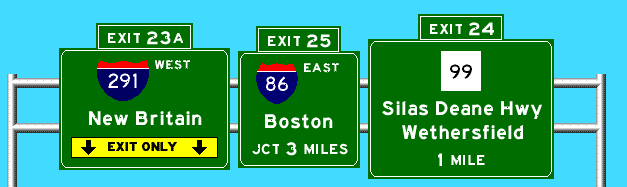
Welcome to Trippy Drive '71, the freeway driving simulator. The applet is loading as you read this; when it's ready, the "Let's Drive!" button will enable itself. Press this button to open the sign display and the TD71 control panel ("dashboard").
The Applet
Once the applet's ready (unfortunately, this can take a few minutes) and the dashboard is up, press "Load" to choose the highways you want. Choices are:
- Hartford: what the region would look like if Hartford got to build all the freeways it had planned circa 1971; that's how TD71 got its name. Highways include I-84 (parts), I-86 (parts), I-91, I-291, I-484, CT 2, CT 189, CT 17, and CT 11.
- I-95 and I-395 in Connecticut; supplements the Hartford set.
- I-99 in Pennsylvania, West Virginia, and more! The conscientious roadgeek's nightmare scenario, where Bud Shuster is all-powerful and the little guys get paved over.
If your freeway intersects another one, you'll see a button appear with that freeway's name and direction. Press the button, to get onto the other freeway. You could drive around for hours if you wanted.
If you want to cut the scenery and go somewhere, press "Turbo"; this skips all exits and signs where no other freeway intersects (i.e. you can't get off there anyway).
If a freeway button is gray, that means it's not simulated.
If you get stuck, press "Jump" and choose a highway from the list. TD71 will hyperspace you to the beginning of that highway.
For help, see the Help page.
P.S. Thanks to William F. Yurasko for some authentic control cities on I-99.
Thanks to Neil Kelly's exit guide for some Connecticut control cities as well, and for pointing out that I-395 exit 84 has five ramps.
Thanks to Bob Coppinger for the state's planned interchanges for I-84 in eastern Connecticut.
Reception and Quotes
Trippy Drive '71 made the Useless Pages! The webmaster there says: "I've driven in Connecticut - having imaginary roads would only improve things."
TD71 also was an Awful Link of the Day at somethingawful.com. Choice quote: "Oh God. That is so boring my brain is trying to claw its way out of my skull."
S. D. Rhodes remarked: "What happens [when I take I-99] is that I see just how twisted your sense of humor is. :-)"
C. C. Slater said: "Kurumi gives Java a good name"